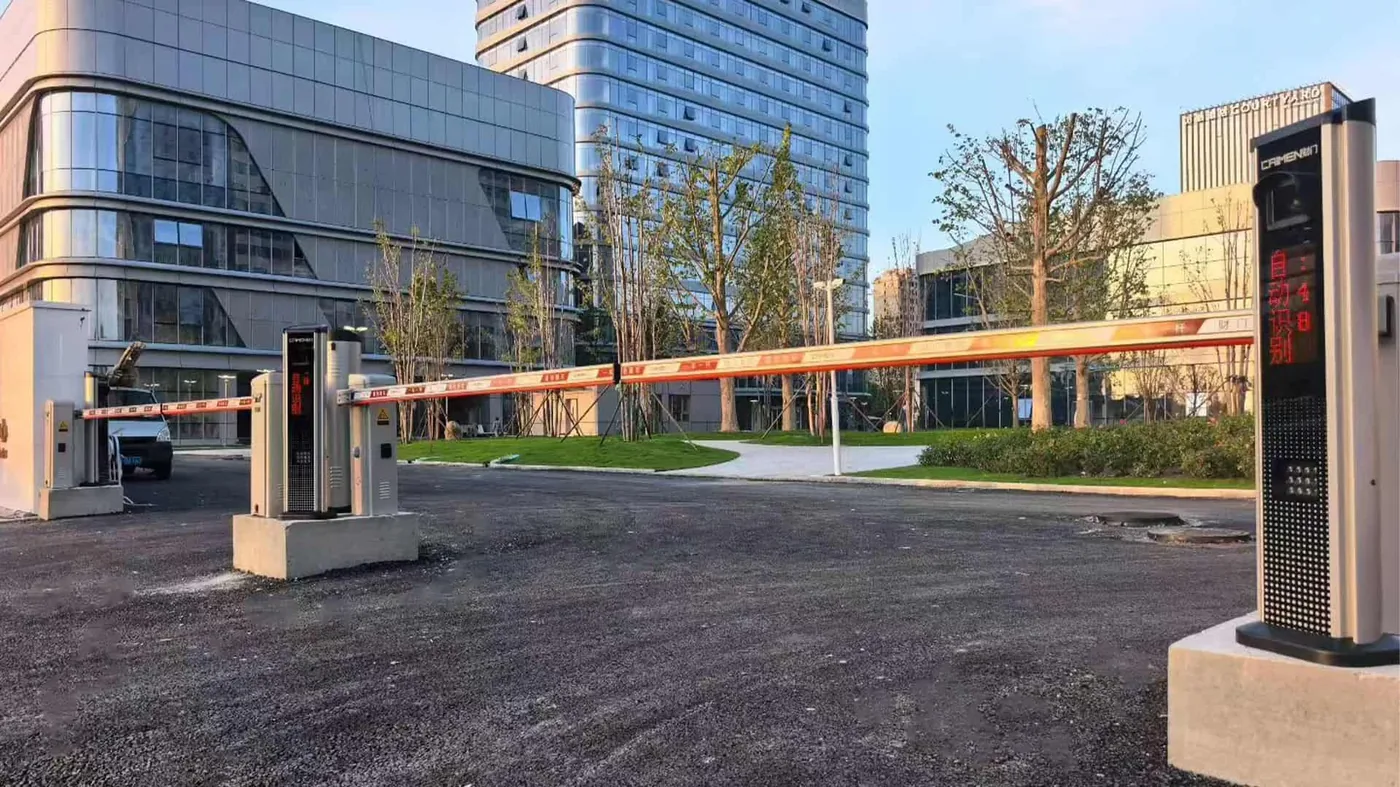
A parking access control system has one job at the lane. It decides, fast, whether a car gets in, and then it gets the arm out of the way. Everything else (the cloud account, the payment screen, the reports your finance team wants every Monday) sits behind that moment. This page is for owners, operators and integrators planning a lot, a garage or a mixed-use entrance. It covers the CAIMEN hardware we'd put at each lane, how to plan the layout, and what to send us so a quote comes back right the first time.
Where parking entrances usually go wrong
Most lane problems aren't dramatic. A camera that can't read plates in low winter sun. An arm that crawls while the queue spills onto the street. A visitor with no permit and nobody in the booth to talk to. A cabinet that starts to rust after a couple of salty winters.
Each one ends the same way: horns, or a staff member standing in the rain with a clipboard.
The industry has been moving away from cards for years. An ICMA piece on parking access control (sponsored content from T2 Systems) explains how older proximity and RFID cards were easy to share and leaked revenue, and how fixed license plate recognition, QR codes and mobile credentials now handle entry, with operators watching many lanes from any internet-connected device. That's where most new sites end up. Our parking range is built around the same idea: the plate is the credential, the barrier follows the decision, and the data lives in the cloud.
The CAIMEN combination for a parking lane
A typical lane uses three layers. There's a barrier, a plate-reading controller column, and the cloud parking platform behind both. You can mix models per lane, and on a large site you probably should.
Barrier gates: KS01/KS02 and the DZ series
For busy entries, start with the KS01 and KS02 high-speed barriers. They open or close in 1.2 to 2.5 seconds, depending on rod length. The cabinet is a compact 330 x 260 x 1050 mm, the straight rod runs up to 4000 mm including the cabinet, and the 24 V DC motor is 100 W. A foam-covered boom with an anti-collision and reset mechanism means a driver who taps it doesn't snap it. Noise is under 65 dB on the KS01 and under 58 dB on the KS02, which is worth knowing if the lane sits right under apartments.
The DZ001-A is the general-purpose model: 24 V, 160 W rated power, a 1.5 mm high-strength carbon steel cabinet and IPX4 protection. Rubber strips, ground-sensing radar and infrared protection are optional add-ons. Rod speed is adjustable without steps, so you can slow it down where pedestrians cross nearby. If the power drops, someone can lift the rod with the handwheel at the base of the unit.
Want a visible fence instead of a single pole? The DZ02 and DZ04 fence barriers take rods up to 4500 mm including the cabinet, with a fence height of up to 0.95 m. All of these cabinets are finished in fluorocarbon powder coating, applied in two coats and two bakings. Full specs are on our barrier gate page.
Parking access controllers: CP series and HJ003
The controller column is where the plate gets read. The CP001, CP004, CP005 and CP006 spec sheets each list a recognition rate above 99.8%, around the clock. On the CP001, CP004 and CP006, vehicles without a registered plate can scan a QR code to get in and out, so visitors don't need a booth. The differences come down to display, storage and wiring:
| Model | Display | Stored records | Communication | Best fit |
|---|---|---|---|---|
| CP001 | Two-column vertical LED | 30,000 | TCP/IP | Residential and office lots |
| CP004 | Four-line LED, readable beyond 30 m | 50,000 | 485/TCP | Busy public entries |
| CP005 | Two-column vertical LED | 30,000 | TCP/IP | Multi-site operators on one cloud account |
| CP006 | 22-inch HD LCD (can run ads) | 50,000 | 485/TCP | Retail and transport hubs |
The CP004 sits in a 2.5 mm aluminum alloy U-shaped case and has a 10M/100M Ethernet port with built-in lightning protection. That last part matters on an open surface lot. The CP006 adds ETC identification and an LCD that can play advertising, which some retail operators use to offset running costs.
The HJ003 goes further. On top of plate recognition and QR access, it's an unattended payment and intercom terminal with a 15-inch LCD, face-to-face and scan-to-pay options, offline transactions, and one-click video intercom through the cloud. Put it on an exit lane with no cashier and the driver who can't pay still has someone to call. More on reading plates at the lane is on our license plate recognition page and in our post on pairing LPR with a barrier gate.
One honest caution. The payment methods listed on our sheets include WeChat Pay, Alipay and UnionPay, which suit some markets better than others. If you're in the US, tell us your payment provider early. That question belongs before the order, not after installation.
The cloud parking platform
Behind the lanes sits CAIMEN's smart parking management cloud system. According to the CP005 documentation, it links several parking facilities to one cloud system for remote monitoring, data display and live emergency alerts. It collects traffic, revenue and usage figures, supports a driver app for finding and booking spaces, and offers API support for third-party systems. The KS and DZ barrier pages list compatibility with cloud parking systems, license plate recognition and remote control.
A note on smart parking standards
CAIMEN took part in drafting three Chinese national standards. Two cover smart parking directly: Smart City Smart Parking Part 2 (Data Requirements) and Part 3 (Platform Technical Requirements). The company is also listed among the Top 10 Most Influential Brands in China's Security Industry for parking systems.
Keep that in proportion. It's a company credential, not a product certification, and it doesn't replace any approval your city or state requires.
Planning the site lane by lane
Start with the traffic, not the catalog. Here's how we'd match hardware to common lane types:
| Lane situation | Suggested combination | Why it fits |
|---|---|---|
| High-volume entry with morning or event peaks | KS01/KS02 + CP004 | 1.2 to 2.5 s arm cycle; 50,000 records; display readable beyond 30 m |
| Residential or office lot with registered users | DZ001-A + CP001 | General-purpose barrier, handwheel on power loss, QR entry for guests |
| Unattended paid exit | KS01/KS02 or DZ001-A + HJ003 | Scan-to-pay and cloud video intercom, no cashier needed |
| Entrance that should look closed | DZ02/DZ04 + CP series | Fence up to 0.95 m high, rod up to 4500 mm |
| Retail or transit lot selling ad space | KS or DZ barrier + CP006 | 22-inch LCD for advertising |
| Site that locks down at night | Cantilever gate + LPR + high-speed barrier | Barrier handles peaks; gate closes the perimeter after hours |
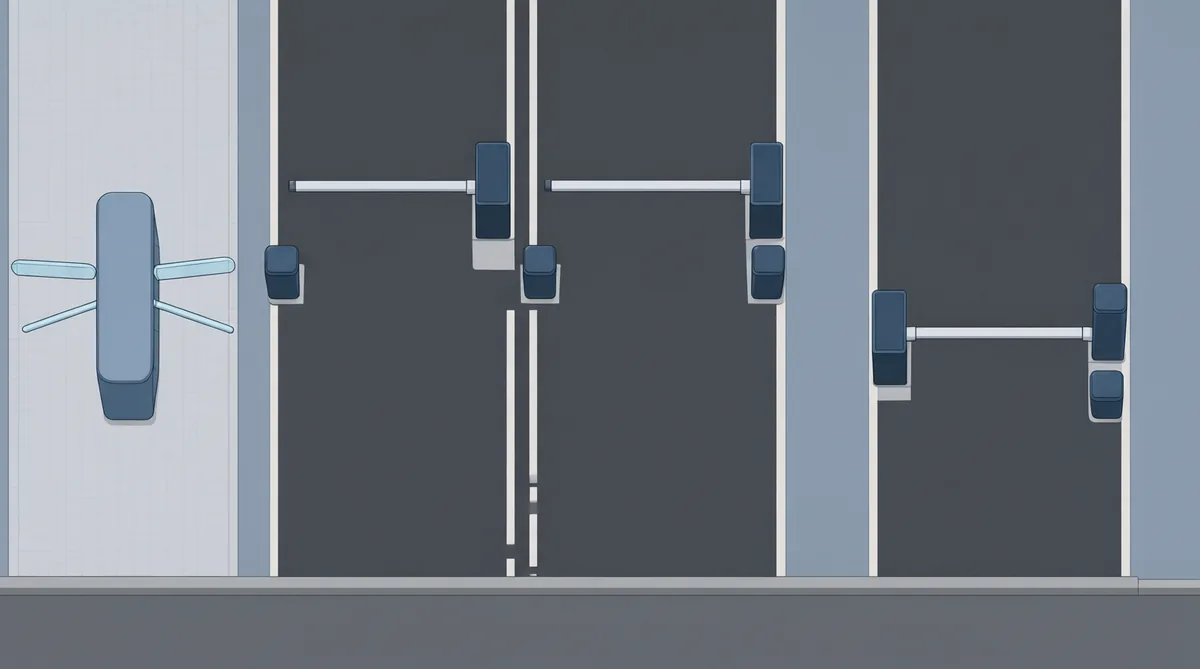
That last row deserves a word. Say you manage a lot that's public by day but has to be shut tight overnight. A barrier alone won't stop someone on foot. The setup we describe in our engineering documentation keeps a cantilever sliding gate open during peak hours while LPR and a high-speed barrier handle the flow. At night the gate closes, with infrared anti-climb detection.
A few planning points that save trouble later:
- Give pedestrians their own route. DASMA Technical Data Sheet 353 on the UL 325 standard notes that vehicular gate rules don't cover pedestrian gates, and that owners should provide separate pedestrian access wherever people are likely to be present. It also says barrier arm operators need at least two independent, monitored entrapment protection means. We don't claim UL 325 listing for these barriers, so have your installer specify the protection devices your jurisdiction requires. A pedestrian access gate beside the lane is often the cleanest answer.
- Measure before you pick a rod. The KS series tops out at 4000 mm and the DZ02/DZ04 at 4500 mm, both including the cabinet. A wider lane may need two barriers.
- Plan for the power cut. The DZ001-A has a handwheel, and the HJ003 handles offline transactions. Talk to your electrician about backup power for everything else.
- Think about light at the camera. The CP columns carry their own fill lights that switch with ambient brightness, but a lane facing straight into the setting sun still deserves a site check.
What to send us for a quote
The more of this you can give us, the fewer emails go back and forth:
- Number of entry and exit lanes, with a rough site plan
- Lane widths and any island or curb dimensions
- Peak traffic: how many cars in the busiest half hour
- Who parks: permit holders, visitors, paying customers, or a mix
- Your payment provider and any parking software you already run
- Power available at each island and the local climate
- Whether you also need pedestrian gates or a perimeter gate
- Preferred colors (the DZ001-A comes in CM-01 Gray or CM-18 champagne gold as standard; the KS01 is Deep Gray and the KS02 Popcorn Silver)
From there we prepare CAD drawings and renderings. Production starts only after you approve them, and typically takes 15 to 20 days after drawing approval. Integrators who want their own branding can read about our OEM and ODM service.
Ready to start? Email [email protected] or use the contact page, and attach whatever drawings you have. A phone photo of the entrance helps too.
Sources
- The Future Is Now for Parking Access Control - ICMA
- DASMA Technical Data Sheet 353: Vehicular Gate Operators and the ANSI/CAN/UL 325 Standard
CAIMEN product figures come from our installation manuals and engineering documentation.