On a drawing, a license plate recognition lane looks almost too easy. Camera, controller, boom barrier. Done. Out on the asphalt it's three devices that each get a few seconds to do their job, and drivers only ever notice the one that doesn't. Below, you'll see how to pair an LPR parking system with a barrier gate so your lane reads the plate, makes the call and lifts the arm before anyone starts honking.
Camera first. Then the barrier, then the wiring between them, and finally the sites where a barrier on its own won't cut it.
How an LPR lane actually works
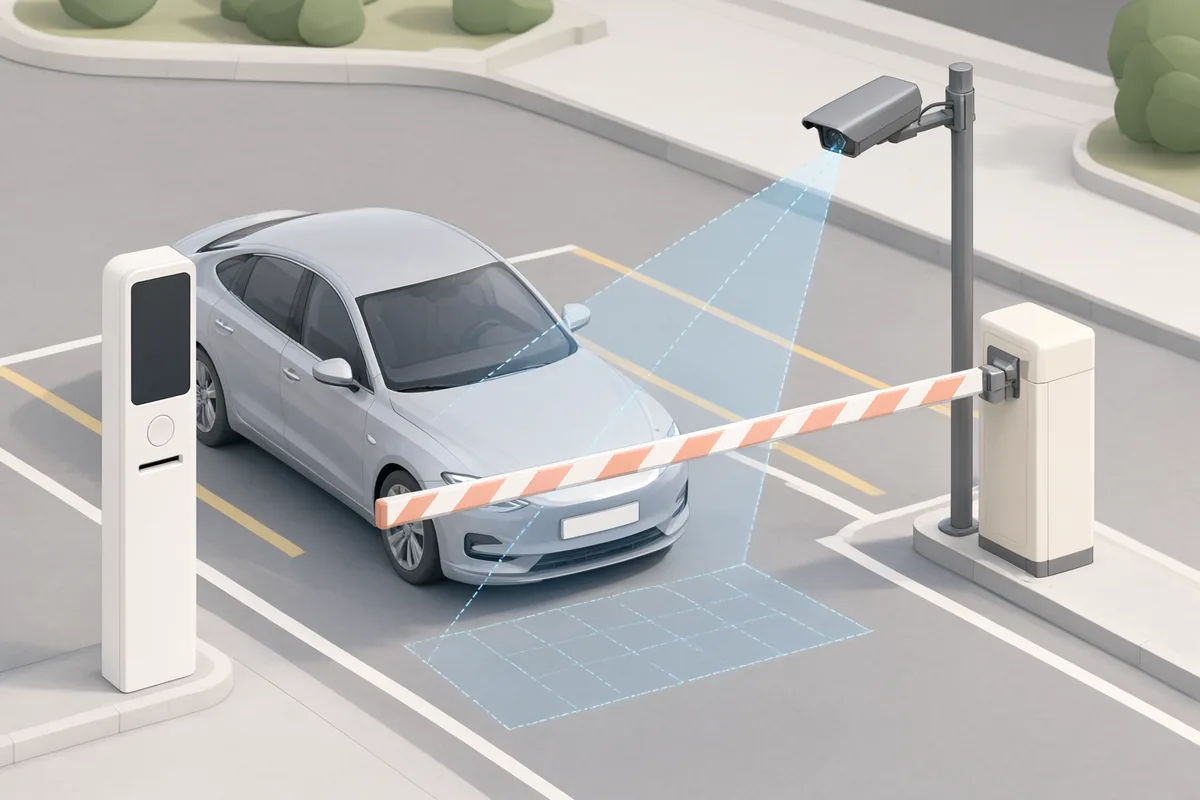
Picture a relay race with very short legs. A car noses into the capture zone and the camera grabs a frame. Inside the recognition engine, pixels become a plate string; your parking software then checks that string against a whitelist, a booking or an open ticket, and only a match sends anything to the barrier. Up goes the arm. Once a loop or radar confirms the car's clear, it drops again.
Each handoff eats time. Say the camera needs two tries on a muddy plate: that's another second gone. A slow barrier piles on more. Now multiply by a shift change and you've got cars backed onto the street.
So don't ask which camera or which boom barrier. Ask how they fit.
Getting the camera side right
Most misreads come down to placement. Not software. Axis Communications, writing about license plate capture, says to keep the total angle between camera and vehicle under 30 degrees, and its rough rule puts capture distance at about twice the mounting height. For slow entry lanes, its vehicle-access kit is meant to sit within about 2.5 m of the lane center and read up close.
Then there's light. Verkada's overview of LPR cameras names poor lighting, extreme angles, vehicle speed and plate condition as the big accuracy killers; the usual cure is infrared illumination and a fast shutter (1/1000 of a second or quicker). Headlights are their own headache. Mount above headlight height, Axis suggests, so oncoming beams don't wash out the frame.
Before anyone pours concrete, run a few checks:
- Go stand where the camera will hang, at night, and look. A streetlight, a shiny wall or a low 5 p.m. sun can all throw glare into the lens.
- Put the capture zone where drivers already slow down. Just before the arm is ideal.
- Keep hedges and signs out of the sight line. Hedges grow, and cameras don't move.
- Expect dirty plates. A truck leaving a construction site won't show up clean.
Nothing here is exotic. It just gets skipped when the camera's the last thing bolted on.
Matching the barrier to the lane
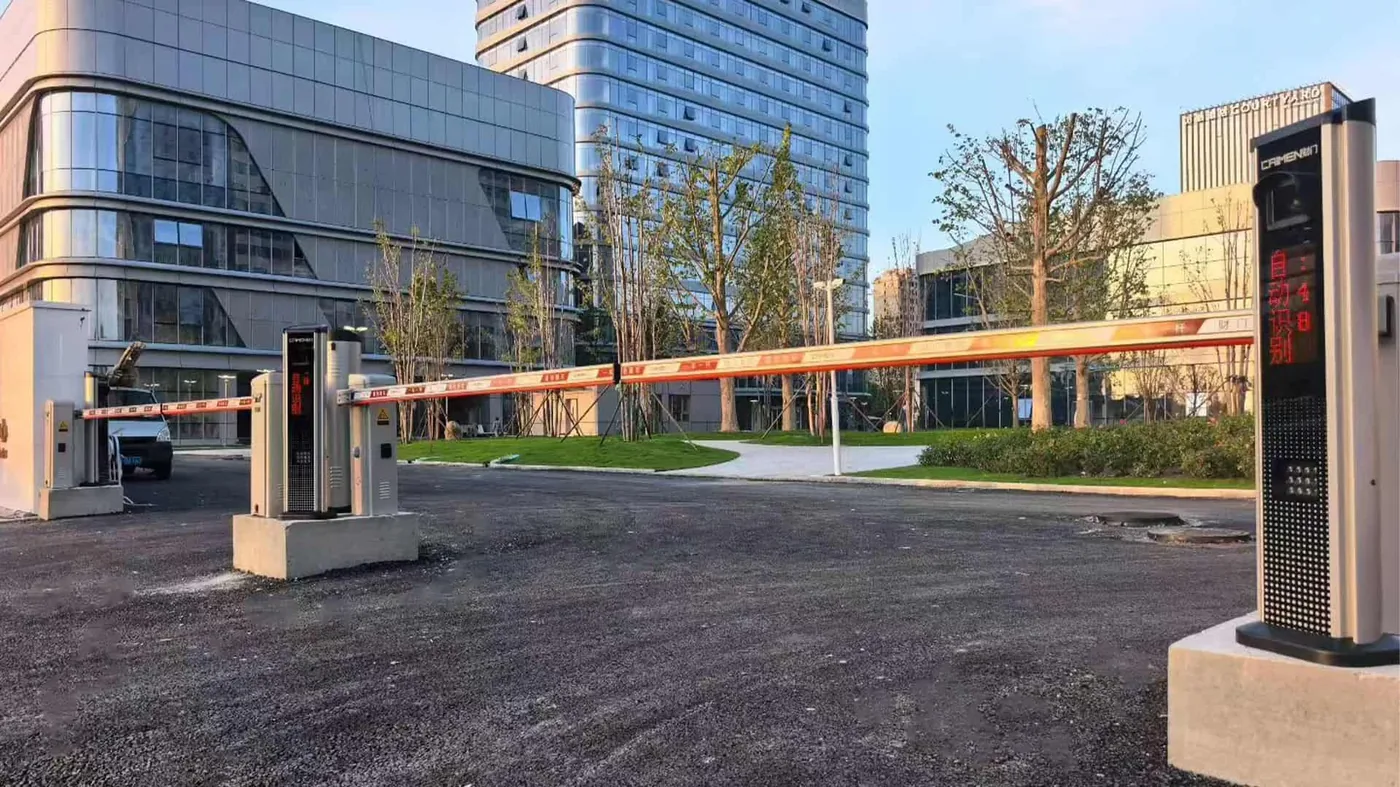
Once the plate's read, the boom barrier sets the pace. CAIMEN's KS01 and KS02 high-speed barriers open and close in 1.2 to 2.5 seconds, depending on rod length, and the rod can run up to 4000 mm including the cabinet. A standard car lane fits easily. Shorter arm, faster cycle. That's the trade, so settle the rod length before you pick anything else.
The cabinet specs sit in the table below, and they're there for one reason: this box lives outdoors, a few feet from moving cars, not in a lobby. What we'd watch most closely is the foam anti-collision rod, because it resets after contact. Somebody will clip it eventually. A rod that bends and stays bent shuts your lane until a tech shows up; one that springs back barely registers.
For general-purpose entries there's the DZ001-A. Arm control uses linear dynamic encoding, it takes a wireless remote, and when the power goes out your staff can lift the arm with a hand crank. You choose the safety sensing per site: rubber strip, ground radar or infrared. Our engineering documentation gives values for the DZ01-A barrier family of 24 V, 160 W rated power, IP54 and noise under 65 dB.
At the lane itself, the CP004 parking control unit runs the driver-facing display. Its dual-color LED screen is readable from beyond 30 m. Why care? A driver who sees "Not registered" from back there can stop and sort it out calmly, instead of finding out with a bumper at the arm. The rest of the build is listed below.
| Unit | Role in the lane | Key values (from CAIMEN product data) |
|---|---|---|
| KS01 / KS02 | High-speed boom barrier | 1.2 to 2.5 s open/close; rod up to 4000 mm incl. cabinet; cabinet 330 x 260 x 1050 mm; 1.5 mm carbon steel; fluorocarbon powder coating (two coats, two bakings); foam anti-collision rod that resets after contact |
| DZ001-A | General barrier gate | Linear dynamic encoding; wireless remote; hand-crank lift on power loss; rubber strip, ground radar or infrared optional |
| CP004 | Lane controller and display | 2.5 mm aluminum alloy U-shaped case; two coats of fluorocarbon powder; tempered glass display; 10M/100M Ethernet with lightning protection; dual-color LED readable beyond 30 m |
| CP06 / CP03 | Controller variants | CP06: TCP/IP, 220 V input, 12 V working, IP54; CP03: RS485 / TCP |
You can browse the full barrier range on our barrier gate page and the recognition hardware on the license plate recognition page.
Wiring it together: dry contact and network links
This is the bit integrators actually ask about. How does "plate approved" turn into "arm up"?
A dry contact is the plainest route. The LPR controller closes a relay; the barrier sees that closure on its open input and lifts. There's no protocol, no driver and no firmware handshake to argue over. Across the industry most barriers accept that kind of open command, which is why it's still the default on mixed-vendor sites. Just confirm the input on the exact barrier model you're ordering. We can check that with you.
A network link does more. CAIMEN's networked controllers (CP004, CP06, CP03 and the HJ03 parking cloud terminal) use Ethernet or TCP/IP, and the CP03 and HJ03 also support RS485. With that in place, your parking software logs every event, pushes whitelists out from a central office and flags a stuck arm before somebody phones it in. Don't want to run your own server? CAIMEN also offers a smart parking management cloud system.
Our advice: wire the dry contact anyway, even on a networked lane. If a switch dies at 2 a.m., a relay-level fallback (or the DZ001-A hand crank) keeps cars moving.
When a barrier isn't enough: the gate plus barrier hybrid
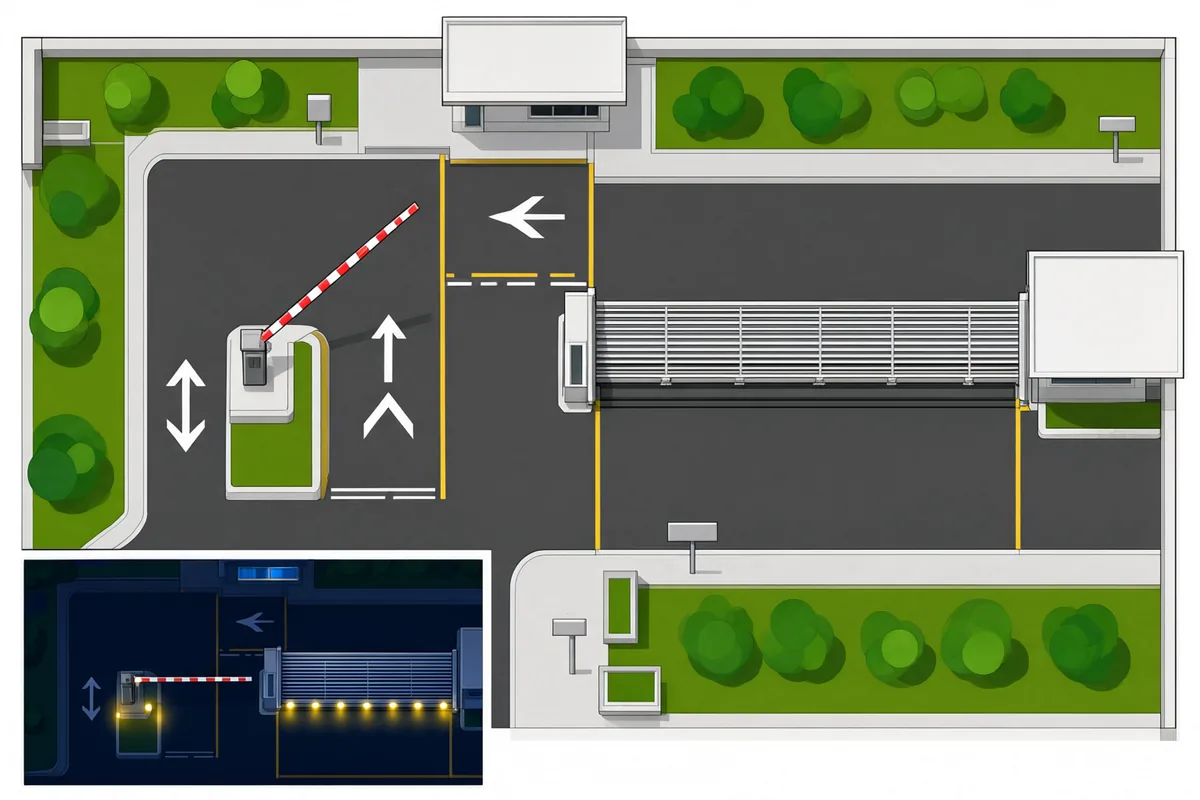
A boom barrier manages traffic. It won't stop a determined person on foot, and it can't hold a perimeter overnight. Factories, logistics yards and warehouses usually need both.
For those sites, CAIMEN recommends pairing a cantilever sliding gate with LPR and a high-speed barrier. At peak hours the gate stays open while the LPR plus barrier lane carries the volume. Off-peak and overnight, the gate shuts and its infrared anti-climb protection takes over. Because the cantilever gate accepts LPR, RFID, keypad, intercom and remote inputs through a standard dry contact relay interface, one plate read can drive either device, depending on the hour.
Say your site sees 200 staff cars between 7:30 and 8:00, and after 6 p.m. it's just the odd delivery truck. A barrier alone copes with the morning but leaves the yard open all night. A gate alone is secure, and hopeless for that rush. Run both and you only pay the gate's open/close time when traffic's light enough that nobody notices.
Standards and planning ahead
Smart parking is drifting toward shared data formats, so a lane you install today may have to report into a city or campus platform later. Plan the network side with that in mind. CAIMEN took part in drafting three Chinese national standards, including Smart City Smart Parking Part 2 (Data Requirements) and Part 3 (Platform Technical Requirements). They don't change the rules where you are, though.
In the US, ask your local authority about barrier signage, pedestrian separation and any data-retention rules for plate reads. Those differ by state and by city.
A short checklist for your next LPR lane
- Survey the lane at night and in low sun before you settle on camera height.
- Hold the camera angle under about 30 degrees, with the capture zone where cars slow down.
- Choose rod length first, barrier model second. Shorter rods cycle faster.
- Wire a dry contact fallback, networked system or not.
- If the site has to be locked after hours, add a physical gate.
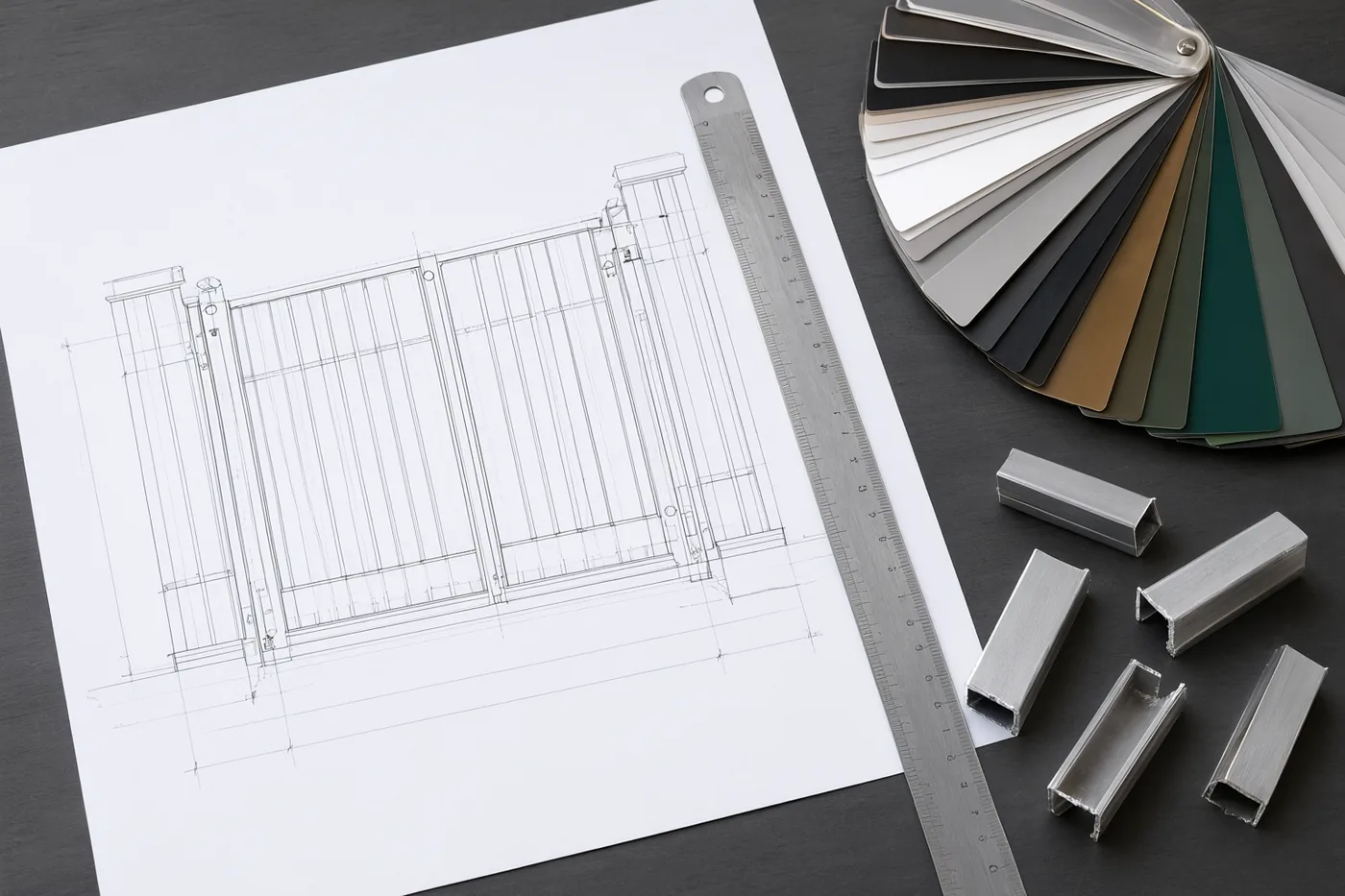
- Get CAD drawings of the whole lane before anything ships. Production typically runs 15 to 20 days after drawing approval.
Want a layout for your own entrance? Send the entry width, your peak traffic numbers and a photo of the approach to [email protected] or through our contact page. We'll come back with a drawing.
Sources
- Axis Communications: Things to consider for license plate capture
- Verkada: LPR and ANPR cameras explained
CAIMEN product figures come from our installation manuals and engineering documentation.